Pinch, wheel or double-click to zoom where you point, then throw it around.
01Preview
midtown-aerial-final.jpg
5472 × 3648 · 14.2 MB
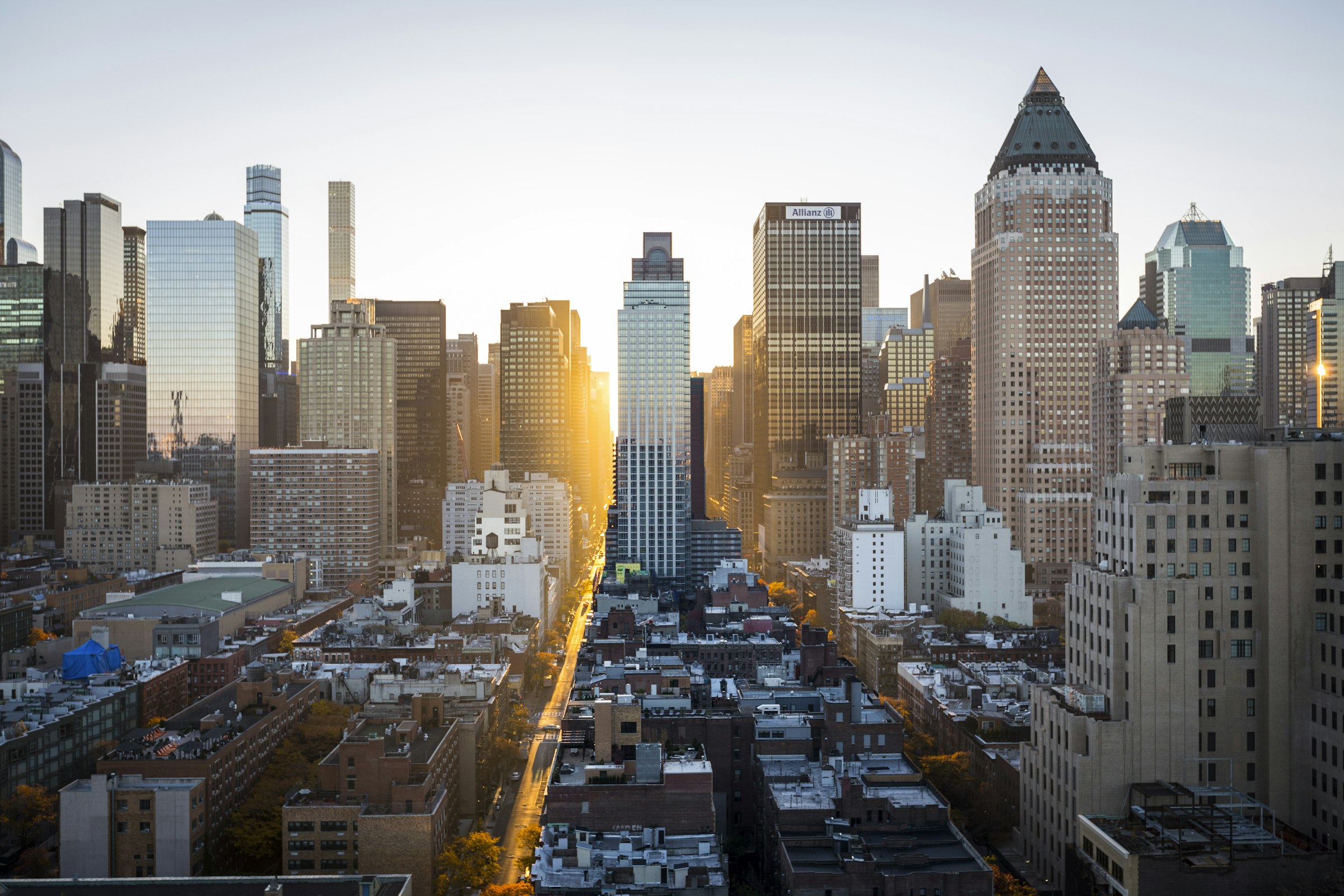
Use plus and minus to zoom, the arrow keys to move around while zoomed, and 0 to fit.
Zoom 100%
Double-click to zoom, drag to move, or pinch. Hold ⌘ and scroll to zoom where you point.
02Install
Copy the source into your project. It becomes yours: no package to update, no wrapper between you and the markup. It needs:
npm install motion @number-flow/react03Usage
import { ZoomPanImage } from "@/components/ui/zoom-pan-image";

<ZoomPanImage
  src="/uploads/floor-plan.png"
  alt="Ground floor plan, 1:100"
  width={4800}
  height={3200}
  aspectRatio="3 / 2"
/>04Source
"use client";
import NumberFlow from "@number-flow/react";
import { animate, motion, useMotionValue, useReducedMotion, useTransform, type AnimationPlaybackControls } from "motion/react";
import { useCallback, useEffect, useId, useRef, useState } from "react";
import { cn } from "@/lib/cn";
import { Minus, Plus } from "@/lib/icons";
import { spring } from "@/lib/motion";

type Point = { x: number; y: number };
type Geo = { cw: number; ch: number; ox: number; oy: number; fw: number; fh: number };

const clamp = (v: number, lo: number, hi: number) => Math.min(hi, Math.max(lo, v));
// Past an edge the content follows the finger less and less, like a scroll view at its end.
const band = (over: number, size: number) => (over * size * 0.55) / (size + 0.55 * over);
const rubber = (v: number, lo: number, hi: number, size: number) => (v < lo ? lo - band(lo - v, size) : v > hi ? hi + band(v - hi, size) : v);

// Where the content may sit at a given scale. Narrower than the viewport: centered. Wider: its edges
// may not come inside the viewport's. The content is laid out at (ox, oy) and scaled from its top-left.
function bounds(s: number, g: Geo) {
  const w = g.fw * s;
  const h = g.fh * s;
  const [minX, maxX] = w <= g.cw ? [(g.fw - w) / 2, (g.fw - w) / 2] : [g.cw - g.ox - w, -g.ox];
  const [minY, maxY] = h <= g.ch ? [(g.fh - h) / 2, (g.fh - h) / 2] : [g.ch - g.oy - h, -g.oy];
  return { minX, maxX, minY, maxY };
}

export type UseZoomPanOptions = {
  min?: number;
  max?: number;
  /** Multiplier per zoom-in or zoom-out step (buttons and keys). */
  step?: number;
  /** Scale a double-click or double-tap zooms to, around the point pressed. */
  doubleTapScale?: number;
  /** "modifier": the wheel scrolls the page and zooms only with ⌘/Ctrl or a trackpad pinch. "always": the wheel always zooms. */
  wheel?: "modifier" | "always";
  disabled?: boolean;
  /** Called when a two-finger pinch starts, so a parent can drop a swipe it had begun. */
  onPinchStart?: () => void;
  onScaleChange?: (scale: number) => void;
};

/**
 * Zoom and pan for any content. Put `viewportRef` on a positioned element that clips, and
 * `contentRef` plus `style={{ x, y, scale, originX: 0, originY: 0 }}` on a motion element inside it.
 * At rest a single-pointer drag is left alone, so the page (or a parent carousel) can use it.
 */
export function useZoomPan({
  min = 1,
  max = 4,
  step = 1.6,
  doubleTapScale = 2.5,
  wheel = "modifier",
  disabled = false,
  onPinchStart,
  onScaleChange,
}: UseZoomPanOptions = {}) {
  const viewportRef = useRef<HTMLDivElement>(null);
  const contentRef = useRef<HTMLDivElement>(null);
  const x = useMotionValue(0);
  const y = useMotionValue(0);
  const scale = useMotionValue(min);
  // Last measured layout, for anything drawn from the transform (a minimap, a readout).
  const geometry = useMotionValue<Geo | null>(null);
  const reduce = !!useReducedMotion();
  // The scale the UI should show: the target of an animation, or the live value mid-gesture.
  const [zoom, setZoom] = useState(min);
  const [dragging, setDragging] = useState(false);
  const [interacting, setInteracting] = useState(false);
  const [hint, setHint] = useState<string | null>(null);
  const running = useRef<AnimationPlaybackControls[]>([]);
  const opts = useRef({ min, max, step, doubleTapScale, wheel, disabled, reduce, onPinchStart, onScaleChange });
  useEffect(() => {
    opts.current = { min, max, step, doubleTapScale, wheel, disabled, reduce, onPinchStart, onScaleChange };
  });

  const geo = useCallback((): Geo | null => {
    const v = viewportRef.current;
    const c = contentRef.current;
    if (!v || !c) return null;
    return { cw: v.clientWidth, ch: v.clientHeight, ox: c.offsetLeft, oy: c.offsetTop, fw: c.offsetWidth, fh: c.offsetHeight };
  }, []);

  const stop = useCallback(() => {
    running.current.forEach((a) => a.stop());
    running.current = [];
  }, []);

  const report = useCallback((s: number) => {
    setZoom(s);
    opts.current.onScaleChange?.(s);
  }, []);

  /** Zoom to `target`, keeping `anchor` (viewport px) still, then settle inside the bounds. */
  const zoomTo = useCallback(
    (target: number, anchor?: Point, { instant = false }: { instant?: boolean } = {}) => {
      const g = geo();
      if (!g) return;
      stop();
      const { min, max, reduce } = opts.current;
      const s0 = scale.get();
      const x0 = x.get();
      const y0 = y.get();
      const s1 = clamp(target, min, max);
      const p = anchor ?? { x: g.cw / 2, y: g.ch / 2 };
      const ax = (s: number) => p.x - g.ox - ((p.x - g.ox - x0) * s) / s0;
      const ay = (s: number) => p.y - g.oy - ((p.y - g.oy - y0) * s) / s0;
      const b = bounds(s1, g);
      const x1 = clamp(ax(s1), b.minX, b.maxX);
      const y1 = clamp(ay(s1), b.minY, b.maxY);
      report(s1);
      if (instant || reduce) {
        scale.set(s1);
        x.set(x1);
        y.set(y1);
        return;
      }
      // One progress value drives all three, so the point under the cursor stays put while the
      // bounds correction blends in, instead of three springs drifting apart.
      running.current.push(
        animate(0, 1, {
          ...spring.snappy,
          onUpdate: (t) => {
            const s = s0 + (s1 - s0) * t;
            scale.set(s);
            x.set(ax(s) + (x1 - ax(s1)) * t);
            y.set(ay(s) + (y1 - ay(s1)) * t);
          },
        }),
      );
    },
    [geo, stop, report, scale, x, y],
  );

  const reset = useCallback((o?: { instant?: boolean }) => zoomTo(opts.current.min, undefined, o), [zoomTo]);
  const zoomIn = useCallback((o?: { instant?: boolean }) => zoomTo(zoom * opts.current.step, undefined, o), [zoomTo, zoom]);
  const zoomOut = useCallback((o?: { instant?: boolean }) => zoomTo(zoom / opts.current.step, undefined, o), [zoomTo, zoom]);
  const toggle = useCallback(
    (at?: Point) => (scale.get() > opts.current.min + 0.01 ? zoomTo(opts.current.min) : zoomTo(opts.current.doubleTapScale, at)),
    [zoomTo, scale],
  );

  // After a drag or pinch: back inside the scale limits, then coast to a stop inside the bounds.
  const settle = useCallback(
    (anchor: Point) => {
      const g = geo();
      if (!g) return;
      const { min, max, reduce } = opts.current;
      const s = scale.get();
      if (s < min || s > max) return zoomTo(clamp(s, min, max), anchor);
      const b = bounds(s, g);
      report(s);
      if (reduce) {
        x.set(clamp(x.get(), b.minX, b.maxX));
        y.set(clamp(y.get(), b.minY, b.maxY));
        return;
      }
      const coast = (mv: typeof x, lo: number, hi: number) => {
        const v = mv.getVelocity();
        // The target only has to differ from the start, or the animation is skipped as a no-op;
        // inertia works out the real resting place from the velocity and the bounds.
        return animate(mv, clamp(mv.get() + v * 0.35, lo, hi), {
          type: "inertia",
          velocity: v,
          min: lo,
          max: hi,
          power: 0.35,
          timeConstant: 260,
          bounceStiffness: 420,
          bounceDamping: 42,
          restDelta: 0.5,
        });
      };
      running.current.push(coast(x, b.minX, b.maxX), coast(y, b.minY, b.maxY));
    },
    [geo, zoomTo, report, scale, x, y],
  );

  useEffect(() => {
    const el = viewportRef.current;
    if (!el) return;
    const pointers = new Map<number, Point>();
    let pan: { x: number; y: number; p: Point } | null = null;
    let pinch: { s: number; x: number; y: number; mid: Point; dist: number } | null = null;
    let traveled = 0;
    let lastTap = { t: 0, x: 0, y: 0 };
    let lastType = "mouse";
    let wheelTimer = 0;
    let hintTimer = 0;

    const local = (e: PointerEvent | WheelEvent | MouseEvent): Point => {
      const r = el.getBoundingClientRect();
      return { x: e.clientX - r.left, y: e.clientY - r.top };
    };
    const two = () => {
      const [a, b] = [...pointers.values()];
      return { mid: { x: (a.x + b.x) / 2, y: (a.y + b.y) / 2 }, dist: Math.max(1, Math.hypot(a.x - b.x, a.y - b.y)) };
    };
    const startPan = (p: Point) => {
      pan = { x: x.get(), y: y.get(), p };
      setDragging(true);
    };
    const startPinch = () => {
      const { mid, dist } = two();
      pinch = { s: scale.get(), x: x.get(), y: y.get(), mid, dist };
      pan = null;
      setInteracting(true);
      opts.current.onPinchStart?.();
    };

    const down = (e: PointerEvent) => {
      if (opts.current.disabled || (e.pointerType === "mouse" && e.button !== 0)) return;
      // Controls laid over the image keep their own clicks.
      if ((e.target as Element).closest("button, a, input, select, textarea, [data-zoom-ignore]")) return;
      lastType = e.pointerType;
      pointers.set(e.pointerId, local(e));
      traveled = 0;
      if (pointers.size === 2) {
        stop();
        el.setPointerCapture(e.pointerId);
        e.stopPropagation();
        startPinch();
      } else if (pointers.size === 1 && scale.get() > opts.current.min + 0.001) {
        // Zoomed: this drag is ours. At rest it is left to the page or a parent.
        stop();
        el.setPointerCapture(e.pointerId);
        e.stopPropagation();
        startPan(local(e));
      }
    };

    const move = (e: PointerEvent) => {
      if (!pointers.has(e.pointerId)) return;
      const p = local(e);
      const prev = pointers.get(e.pointerId)!;
      traveled += Math.hypot(p.x - prev.x, p.y - prev.y);
      pointers.set(e.pointerId, p);
      const g = geo();
      if (!g) return;
      if (pinch && pointers.size >= 2) {
        const { min, max } = opts.current;
        const { mid, dist } = two();
        let s = (pinch.s * dist) / pinch.dist;
        // Past the limits the pinch still gives, a little, then springs back on release.
        if (s > max) s = max * Math.pow(s / max, 0.3);
        if (s < min) s = min * Math.pow(s / min, 0.3);
        const b = bounds(s, g);
        const nx = mid.x - g.ox - ((pinch.mid.x - g.ox - pinch.x) * s) / pinch.s;
        const ny = mid.y - g.oy - ((pinch.mid.y - g.oy - pinch.y) * s) / pinch.s;
        scale.set(s);
        x.set(rubber(nx, b.minX, b.maxX, g.cw));
        y.set(rubber(ny, b.minY, b.maxY, g.ch));
        setZoom(s);
      } else if (pan) {
        const b = bounds(scale.get(), g);
        x.set(rubber(pan.x + p.x - pan.p.x, b.minX, b.maxX, g.cw));
        y.set(rubber(pan.y + p.y - pan.p.y, b.minY, b.maxY, g.ch));
      }
    };

    const up = (e: PointerEvent) => {
      if (!pointers.has(e.pointerId)) return;
      const p = pointers.get(e.pointerId)!;
      pointers.delete(e.pointerId);
      if (pinch) {
        if (pointers.size === 1) {
          // One finger lifted: carry on as a pan with the other, no jump.
          pinch = null;
          const [rest] = [...pointers.values()];
          if (scale.get() > opts.current.min + 0.001) startPan(rest);
          settleIfIdle(rest);
        } else if (pointers.size === 0) {
          pinch = null;
          setInteracting(false);
          settle(p);
        }
        return;
      }
      if (pan && pointers.size === 0) {
        pan = null;
        setDragging(false);
        settle(p);
      }
      // Double-tap on touch; mice get the native dblclick.
      if (e.type === "pointerup" && e.pointerType !== "mouse" && traveled < 10) {
        const now = performance.now();
        if (now - lastTap.t < 300 && Math.hypot(p.x - lastTap.x, p.y - lastTap.y) < 30) {
          lastTap = { t: 0, x: 0, y: 0 };
          toggle(p);
        } else lastTap = { t: now, ...p };
      }
    };
    // A pinch that drops to one finger while at rest has nothing left to pan: settle straight away.
    const settleIfIdle = (p: Point) => {
      if (!pan) {
        setInteracting(false);
        settle(p);
      }
    };

    const dbl = (e: MouseEvent) => {
      if (opts.current.disabled || lastType !== "mouse") return;
      e.preventDefault();
      toggle(local(e));
    };

    const onWheel = (e: WheelEvent) => {
      const o = opts.current;
      if (o.disabled) return;
      const g = geo();
      if (!g) return;
      const zooming = e.ctrlKey || e.metaKey || o.wheel === "always";
      const s = scale.get();
      if (zooming) {
        e.preventDefault();
        stop();
        const d = clamp(e.deltaMode === 1 ? e.deltaY * 16 : e.deltaY, -25, 25);
        const s1 = clamp(s * Math.exp(-d * 0.01), o.min, o.max);
        const p = local(e);
        const b = bounds(s1, g);
        scale.set(s1);
        x.set(clamp(p.x - g.ox - ((p.x - g.ox - x.get()) * s1) / s, b.minX, b.maxX));
        y.set(clamp(p.y - g.oy - ((p.y - g.oy - y.get()) * s1) / s, b.minY, b.maxY));
        report(s1);
        setInteracting(true);
        window.clearTimeout(wheelTimer);
        wheelTimer = window.setTimeout(() => setInteracting(false), 180);
      } else if (s > o.min + 0.001) {
        e.preventDefault();
        stop();
        const b = bounds(s, g);
        x.set(clamp(x.get() - e.deltaX, b.minX, b.maxX));
        y.set(clamp(y.get() - e.deltaY, b.minY, b.maxY));
      } else if (Math.abs(e.deltaY) > 2) {
        // The page scrolls as normal; say once how to zoom instead of stealing the wheel.
        setHint(/Mac|iPhone|iPad/.test(navigator.userAgent) ? "⌘" : "Ctrl");
        window.clearTimeout(hintTimer);
        hintTimer = window.setTimeout(() => setHint(null), 1500);
      }
    };

    el.addEventListener("pointerdown", down);
    el.addEventListener("pointermove", move);
    el.addEventListener("pointerup", up);
    el.addEventListener("pointercancel", up);
    el.addEventListener("dblclick", dbl);
    el.addEventListener("wheel", onWheel, { passive: false });

    // Keep the content inside its bounds when the viewport or the fitted image changes size.
    const ro = new ResizeObserver(() => {
      const g = geo();
      if (!g) return;
      geometry.set(g);
      const b = bounds(scale.get(), g);
      x.set(clamp(x.get(), b.minX, b.maxX));
      y.set(clamp(y.get(), b.minY, b.maxY));
    });
    ro.observe(el);
    if (contentRef.current) ro.observe(contentRef.current);

    return () => {
      el.removeEventListener("pointerdown", down);
      el.removeEventListener("pointermove", move);
      el.removeEventListener("pointerup", up);
      el.removeEventListener("pointercancel", up);
      el.removeEventListener("dblclick", dbl);
      el.removeEventListener("wheel", onWheel);
      ro.disconnect();
      window.clearTimeout(wheelTimer);
      window.clearTimeout(hintTimer);
      stop();
    };
  }, [geo, stop, settle, toggle, report, scale, x, y, geometry]);

  /** + / − zoom, 0 fits, arrows pan while zoomed. Keyboard changes land instantly. */
  const onKeyDown = useCallback(
    (e: React.KeyboardEvent) => {
      const o = opts.current;
      if (o.disabled || e.metaKey || e.ctrlKey || e.altKey) return;
      const g = geo();
      if (!g) return;
      const s = scale.get();
      if (e.key === "+" || e.key === "=") zoomTo(s * o.step, undefined, { instant: true });
      else if (e.key === "-" || e.key === "_") zoomTo(s / o.step, undefined, { instant: true });
      else if (e.key === "0") zoomTo(o.min, undefined, { instant: true });
      else if (e.key.startsWith("Arrow") && s > o.min + 0.001) {
        const d = e.shiftKey ? 160 : 48;
        const b = bounds(s, g);
        if (e.key === "ArrowLeft") x.set(clamp(x.get() + d, b.minX, b.maxX));
        if (e.key === "ArrowRight") x.set(clamp(x.get() - d, b.minX, b.maxX));
        if (e.key === "ArrowUp") y.set(clamp(y.get() + d, b.minY, b.maxY));
        if (e.key === "ArrowDown") y.set(clamp(y.get() - d, b.minY, b.maxY));
      } else return;
      e.preventDefault();
    },
    [geo, zoomTo, scale, x, y],
  );

  return {
    viewportRef,
    contentRef,
    x,
    y,
    scale,
    geometry,
    zoom,
    zoomed: zoom > min + 0.001,
    dragging,
    interacting,
    hint,
    zoomTo,
    zoomIn,
    zoomOut,
    reset,
    toggle,
    onKeyDown,
  };
}

export type ZoomPanImageProps = Omit<React.ComponentProps<"div">, "children"> & {
  src: string;
  alt: string;
  /** Intrinsic size. Lets the image be fitted before it loads; otherwise it is read on load. */
  width?: number;
  height?: number;
  /** Shape of the viewer. Pass null to size it with className instead. */
  aspectRatio?: number | string | null;
  min?: number;
  max?: number;
  step?: number;
  doubleTapScale?: number;
  wheel?: "modifier" | "always";
  /** Zoom out, level and zoom in, bottom right. */
  controls?: boolean;
  /** An overview with the visible region, bottom left, while zoomed. */
  minimap?: boolean;
  onScaleChange?: (scale: number) => void;
};

export function ZoomPanImage({
  src,
  alt,
  width,
  height,
  aspectRatio = "4 / 3",
  min = 1,
  max = 4,
  step = 1.6,
  doubleTapScale = 2.5,
  wheel = "modifier",
  controls = true,
  minimap = true,
  onScaleChange,
  className,
  style,
  onKeyDown,
  ...rest
}: ZoomPanImageProps) {
  const {
    viewportRef,
    contentRef,
    x,
    y,
    scale,
    geometry,
    zoom,
    zoomed,
    dragging,
    interacting,
    hint,
    zoomIn,
    zoomOut,
    reset,
    onKeyDown: keys,
  } = useZoomPan({ min, max, step, doubleTapScale, wheel, onScaleChange });
  const reduce = !!useReducedMotion();
  const [natural, setNatural] = useState<{ w: number; h: number } | null>(null);
  const [failed, setFailed] = useState(false);
  const helpId = useId();
  const ratio = width && height ? width / height : natural ? natural.w / natural.h : null;
  const pct = Math.round(zoom * 100);

  // The visible region, drawn on the minimap as fractions of the image.
  const region = useTransform(() => {
    const g = geometry.get();
    const s = scale.get();
    const tx = x.get();
    const ty = y.get();
    if (!g || !g.fw || !g.fh) return { l: 0, t: 0, w: 1, h: 1 };
    const l = clamp((-g.ox - tx) / s / g.fw, 0, 1);
    const t = clamp((-g.oy - ty) / s / g.fh, 0, 1);
    const r = clamp((g.cw - g.ox - tx) / s / g.fw, 0, 1);
    const b = clamp((g.ch - g.oy - ty) / s / g.fh, 0, 1);
    return { l, t, w: r - l, h: b - t };
  });
  const left = useTransform(() => `${region.get().l * 100}%`);
  const top = useTransform(() => `${region.get().t * 100}%`);
  const regionW = useTransform(() => `${region.get().w * 100}%`);
  const regionH = useTransform(() => `${region.get().h * 100}%`);

  const loaded = (img: HTMLImageElement) => {
    const w = img.naturalWidth;
    const h = img.naturalHeight;
    if (w) setNatural((n) => (n && n.w === w && n.h === h ? n : { w, h }));
  };

  return (
    <div
      {...rest}
      ref={viewportRef}
      tabIndex={0}
      role="group"
      aria-roledescription="zoomable image"
      aria-label={alt}
      aria-describedby={helpId}
      data-zoomed={zoomed || undefined}
      data-dragging={dragging || undefined}
      style={{ aspectRatio: aspectRatio ?? undefined, ...style }}
      onKeyDown={(e) => {
        onKeyDown?.(e);
        if (!e.defaultPrevented) keys(e);
      }}
      className={cn(
        "group/zp relative isolate select-none overflow-hidden rounded-xl border border-line bg-frame [container-type:size]",
        // At rest one finger scrolls the page and two pinch the image; zoomed, every touch is ours.
        "touch-pan-x touch-pan-y data-zoomed:touch-none",
        "cursor-zoom-in data-zoomed:cursor-grab data-dragging:cursor-grabbing",
        "outline-none focus-visible:outline-solid focus-visible:outline-1 focus-visible:outline-offset-2 focus-visible:outline-fg-3",
        className,
      )}
    >
      <motion.div
        ref={contentRef}
        className="absolute inset-0 m-auto will-change-transform"
        style={{
          x: x,
          y: y,
          scale: scale,
          originX: 0,
          originY: 0,
          // Contain-fit without measuring: the box is as large as the viewport allows at the image's ratio.
          width: ratio ? `min(100cqw, 100cqh * ${ratio})` : "100%",
          height: ratio ? `min(100cqh, 100cqw / ${ratio})` : "100%",
        }}
      >
        {/* eslint-disable-next-line @next/next/no-img-element */}
        <img
          ref={(img) => {
            if (img?.complete) loaded(img);
          }}
          src={src}
          alt=""
          draggable={false}
          decoding="async"
          onLoad={(e) => loaded(e.currentTarget)}
          onError={() => setFailed(true)}
          className={cn(
            "pointer-events-none size-full object-contain transition-opacity duration-300 ease-out",
            natural || (width && height) ? "opacity-100" : "opacity-0",
          )}
        />
      </motion.div>

      {failed && (
        <p className="absolute inset-0 grid place-items-center p-4 text-center text-[12.5px] text-fg-3">Couldn’t load this image</p>
      )}

      <p id={helpId} className="sr-only">
        Use plus and minus to zoom, the arrow keys to move around while zoomed, and 0 to fit.
      </p>
      <p role="status" className="sr-only">
        {interacting ? "" : `Zoom ${pct}%`}
      </p>

      {/* Scrolling over the image scrolls the page. The first time, say how to zoom instead. */}
      <div
        aria-hidden
        data-show={hint ? "" : undefined}
        className={cn(
          "pointer-events-none absolute inset-x-0 top-3 flex justify-center",
          "opacity-0 transition-[opacity,translate] duration-200 ease-out-expo -translate-y-1 data-show:translate-y-0 data-show:opacity-100 motion-reduce:translate-y-0",
        )}
      >
        <span className="rounded-full border border-line-2 bg-raised/90 px-2.5 py-1 text-[12px] text-fg-2 shadow-pop backdrop-blur-sm">
          Hold <kbd className="font-mono text-[11.5px] text-fg">{hint ?? "⌘"}</kbd> and scroll to zoom
        </span>
      </div>

      {minimap && ratio && (
        <div
          aria-hidden
          data-show={zoomed ? "" : undefined}
          className={cn(
            "pointer-events-none absolute bottom-2.5 left-2.5 hidden w-20 overflow-hidden rounded-md @min-[420px]:block border border-line-2 bg-raised shadow-pop",
            "origin-bottom-left scale-95 opacity-0 transition-[opacity,scale] duration-200 ease-out-expo data-show:scale-100 data-show:opacity-100 motion-reduce:scale-100",
          )}
          style={{ aspectRatio: ratio }}
        >
          {/* eslint-disable-next-line @next/next/no-img-element */}
          <img src={src} alt="" draggable={false} className="size-full object-cover" />
          <motion.span
            className="absolute rounded-[2px] border border-fg shadow-[0_0_0_120px_var(--overlay)]"
            style={{ left, top, width: regionW, height: regionH }}
          />
        </div>
      )}

      {controls && (
        <div
          // Presses on the controls never start a pan or a double-click zoom underneath.
          onPointerDown={(e) => e.stopPropagation()}
          onDoubleClick={(e) => e.stopPropagation()}
          className="absolute bottom-2.5 right-2.5 flex cursor-default items-center rounded-lg border border-line-2 bg-raised/90 p-0.5 shadow-pop backdrop-blur-sm"
        >
          <ControlButton label="Zoom out" disabled={zoom <= min + 0.001} onClick={() => zoomOut()}>
            <Minus size={14} />
          </ControlButton>
          <button
            type="button"
            onClick={() => reset()}
            disabled={!zoomed}
            aria-label="Fit to view"
            title="Fit to view (0)"
            className={cn(
              "h-7 w-12 rounded-md font-mono text-[11.5px] text-fg-2 tabular",
              "outline-none focus-visible:outline-solid focus-visible:outline-1 focus-visible:outline-fg-3",
              "transition-[background-color,color,scale] duration-150 enabled:hover:bg-hover enabled:hover:text-fg enabled:active:scale-[0.95] enabled:active:duration-75",
            )}
          >
            <NumberFlow value={pct} suffix="%" animated={!interacting && !reduce} />
          </button>
          <ControlButton label="Zoom in" disabled={zoom >= max - 0.001} onClick={() => zoomIn()}>
            <Plus size={14} />
          </ControlButton>
        </div>
      )}
    </div>
  );
}

function ControlButton({ label, className, children, ...rest }: React.ComponentProps<"button"> & { label: string }) {
  return (
    <button
      type="button"
      aria-label={label}
      title={label}
      className={cn(
        "relative grid size-7 place-items-center rounded-md text-fg-2",
        "outline-none focus-visible:outline-solid focus-visible:outline-1 focus-visible:outline-fg-3",
        "transition-[background-color,color,scale,opacity] duration-150 enabled:hover:bg-hover enabled:hover:text-fg enabled:active:scale-[0.92] enabled:active:duration-75",
        "disabled:opacity-40",
        "before:absolute before:-inset-1.5 before:content-[''] pointer-fine:before:hidden",
        className,
      )}
      {...rest}
    >
      {children}
    </button>
  );
}05Props
ZoomPanImage
| Prop | Type | Default | Description |
|---|---|---|---|
| src* | string | — | The image. Serve it larger than the viewer so zooming stays sharp. |
| alt* | string | — | Names the viewer for assistive tech. |
| width / height | number | — | Intrinsic size, so the image is fitted before it loads. Read on load otherwise. |
| aspectRatio | number | string | null | "4 / 3" | Shape of the viewer. Pass null and size it with className instead. |
| min / max | number | 1 / 4 | Scale limits. A pinch past them gives a little, then springs back. |
| step | number | 1.6 | Multiplier for the zoom buttons and the + and − keys. |
| doubleTapScale | number | 2.5 | Scale a double-click or double-tap zooms to, around the point pressed. |
| wheel | "modifier" | "always" | "modifier" | Whether the plain wheel zooms, or scrolls the page and zooms only with ⌘/Ctrl or a trackpad pinch. |
| controls | boolean | true | Zoom out, the level (press to fit) and zoom in, bottom right. |
| minimap | boolean | true | An overview with the visible region, shown while zoomed in viewers 420px and wider. |
| onScaleChange | (scale: number) => void | — | Called as the scale changes, with the target of an animated change. |
useZoomPan
| Prop | Type | Default | Description |
|---|---|---|---|
| options | UseZoomPanOptions | — | min, max, step, doubleTapScale, wheel, disabled, onPinchStart, onScaleChange. |
| returns | object | — | viewportRef, contentRef, the x / y / scale motion values, zoom, zoomed, dragging, hint, zoomTo(scale, point?), zoomIn, zoomOut, reset, toggle and onKeyDown. At rest, single-pointer drags are left to the page or a parent. |
06Notes
Behavior
- Every zoom keeps the point under the cursor, fingers or double-click where it is; the content never leaves its edges, and when it's smaller than the viewer it stays centered.
- The plain wheel scrolls the page. Scrolling over the image shows “Hold ⌘ and scroll to zoom” for 1.5s instead of trapping the page; once zoomed, the wheel pans.
- At rest one finger scrolls the page and two pinch the image (touch-action pan-x pan-y); once zoomed every touch is the viewer's. Lifting one finger mid-pinch carries on as a pan with no jump.
- Buttons laid over the image keep their clicks: a press on the controls never starts a pan.
Motion
- Button and double-click zooms run one progress value on the snappy spring (520/38), so scale and position stay locked to the anchor instead of drifting on three springs.
- Drags past an edge follow at a diminishing rate (0.55 rubber band) and a pinch past the limits eases off; release coasts on inertia (power 0.35, 260ms time constant) and bounces back to the bounds.
- The zoom level rolls with NumberFlow, and holds still mid-pinch. The minimap scales in from 0.95 over 200ms. Reduced motion lands zooms and releases instantly.
Accessibility
- A focusable group with the alt text as its label and an aria-roledescription of “zoomable image”; its description lists the keys.
- + and − zoom, 0 fits, arrow keys pan while zoomed (Shift for bigger steps). Keyboard changes land instantly.
- A polite status announces the zoom level once a change settles. The controls are labeled buttons, disabled at the limits.